Recurring events for The Events Calendar
Set the rule once. Every date shows up in your calendar. Daily and weekly rules are free.
Every date is a normal The Events Calendar event. Remove the plugin and your calendar stays.
Independent add-on, not affiliated with The Events Calendar.

How it works
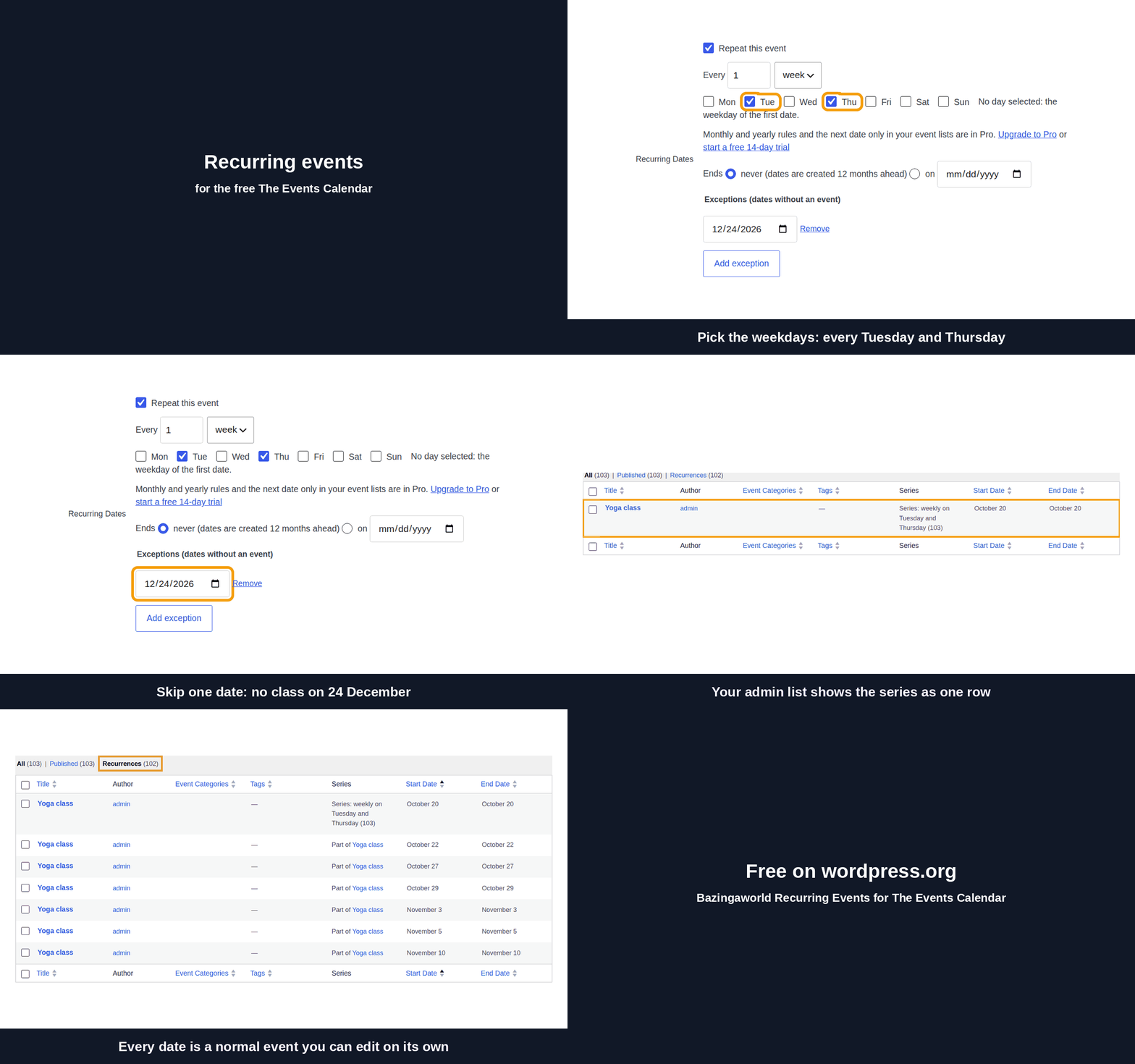
- Set a rule on an event, for example every Tuesday and Thursday at 6:30 pm.
- Dates are created in the background, 12 months ahead.
- Edit the first event. Future dates follow.
One line per series in your event lists
With Pro, the list view and the events list widget show each series once: the next date, with the rule in words under it. Visitors see what repeats instead of 50 copies of the same class. The month view still shows every date.

Works with
Every date in a series is a normal The Events Calendar event, so plugins that list events show the series with no change on their side. Tested with a weekly series:
- Eventful by ThemeAtelier: grids, carousels and lists for The Events Calendar. Shows one card per date.
- The Events Calendar Shortcode by Brian Hogg: a shortcode for upcoming events. Shows one line per date.
Pricing
Free: every day, every week. Pro: every month, every year, one line per series in your event lists.
| Free | Pro | |
|---|---|---|
| Rules | Every day, every week, on any weekdays | Also every month (the 15th, the 2nd Sunday), every year, ends after N times |
| Event lists on your site | Every date | One line per series: the next date and the rule in words |
| Exceptions, editing one date, dates hidden in the admin list | Yes | Yes |
| Number of series | Unlimited | Unlimited |
Try Pro free for 14 days from inside the plugin. No card needed.
When a license expires, everything keeps working. Only updates and support stop.
Lifetime buys updates forever, not extra features.
Questions
What happens if I remove the plugin?
All dates already created stay in your calendar as normal events. Only the automatic creation of new dates stops.
Does it work with Events Calendar Pro?
No. Events Calendar Pro has its own recurring events. This plugin stays inactive while Events Calendar Pro is active. Compare with Events Calendar Pro.
What happens when the trial ends?
Daily and weekly series keep working. A monthly or yearly series keeps its dates and its rule, but no new dates are created until you buy Pro.
Where does "one line per series" apply?
In the list view and the events list widget. The month view, the day view and a list that starts at a chosen date show every date. You can turn it off in Events → Settings → Display.
What happens when my Pro license expires?
Everything keeps working, including all your series. Only updates and support stop.
Can I get a refund?
Yes, within 14 days of purchase. See the refund policy.
How do I get support?
Ask on the support forum on wordpress.org or email support@bazingaworld.com. See what to include.
What changes when I edit the rule? Does it touch past dates?
Future dates update to match the new rule. Past dates do not change. Dates you edited by themselves keep your changes.
Can I edit or cancel one date?
Yes. Edit one date and it leaves the series with your changes. To cancel a date, move it to the trash or add it as an exception.
What happens after 12 months?
Nothing ends. The 12-month window moves forward every day, so the calendar always shows the next 12 months.
Which versions of WordPress, The Events Calendar and PHP do I need?
WordPress 6.9 or newer, PHP 7.4 or newer and the current version of The Events Calendar.
Will it change my existing events?
No. The plugin works only on events where you turn on "Repeat this event". Other events stay as they are.