How to add recurring events in The Events Calendar without Pro
The free The Events Calendar has no recurring events. Repeating events are a feature of the paid plans. Without them you have two options: copy the event by hand for every date, or use a free add-on that creates the dates for you.
This guide uses the second option: our free plugin Recurring Events for The Events Calendar. It takes about five minutes.
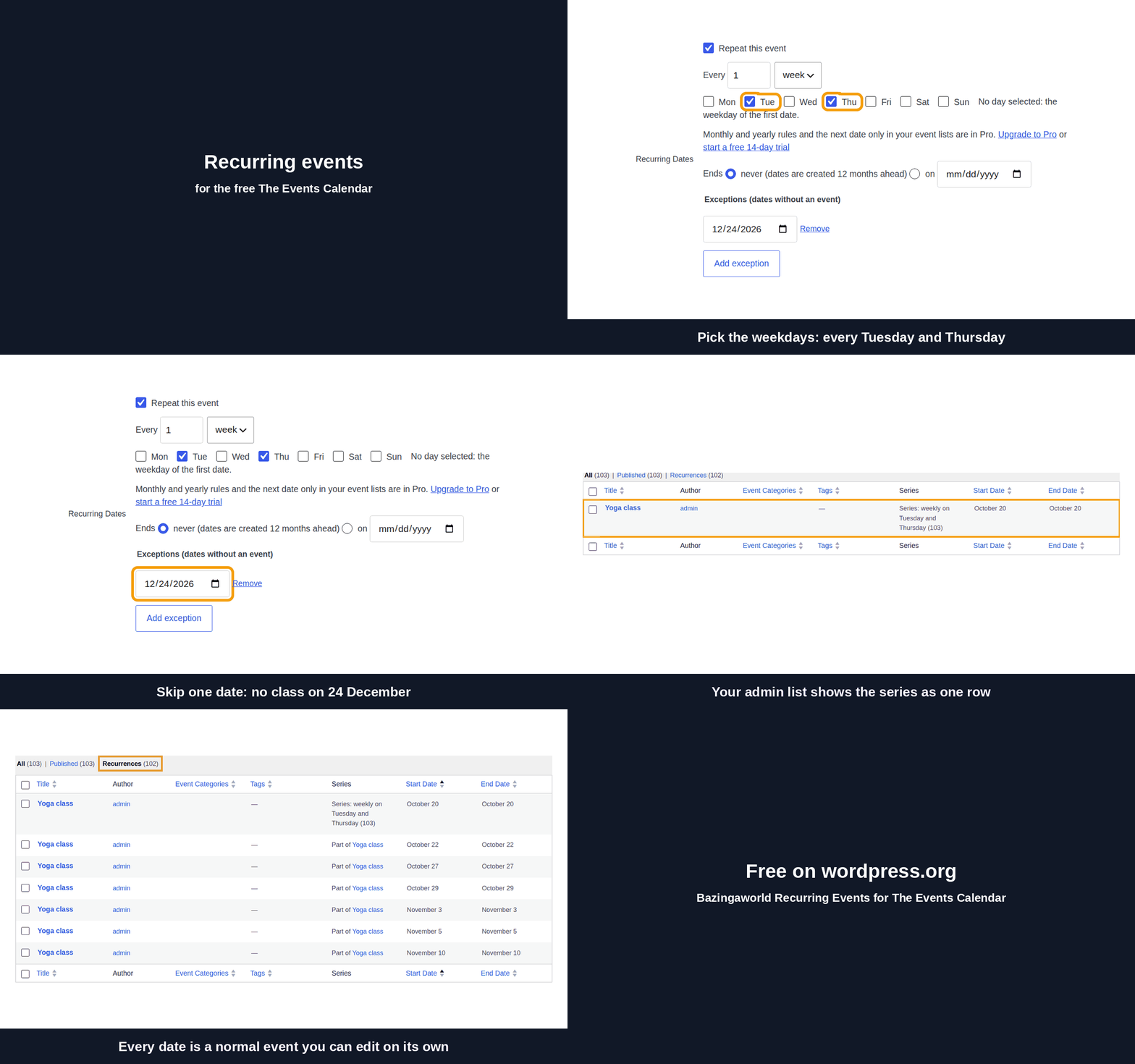
The whole flow in 30 seconds:
What you need
- WordPress 6.9 or newer, PHP 7.4 or newer.
- The Events Calendar, the free version from wordpress.org.
- Recurring Events for The Events Calendar, free on wordpress.org.
Step 1. Install the plugin
In WordPress, go to Plugins → Add New Plugin. Search for "Bazingaworld Recurring Events". Click Install Now, then Activate. The Events Calendar must be active too.
Step 2. Set the rule on an event
Open an event in Events → Events, or create a new one. Set the date and time of the first date. In the Recurring Dates box, check "Repeat this event". Then set the rule:
- Repeat every day or every week. For weekly rules, choose one or more weekdays.
- Ends never or on a date. Pro also has "after N times", so the screenshot shows it.
- Exceptions: dates without an event, for example 24 December.

Step 3. Save and check the calendar
Save the event. The plugin creates one normal event for each date, 12 months ahead, in the background. The box shows how many dates are ready. Open your calendar: every date is there, and the exception is empty.

Step 4. Change the series later
To change all future dates, edit the first event and save it. Past dates do not change. To change one date, edit that date: it leaves the series and keeps your changes. To cancel one date, move it to the trash or add it as an exception.